Aircraft Data Interface Solutions
Now Part of Astronics AES
Astronics Ballard Technology is now Astronics AES. The two subsidiaries of Astronics Corporation have merged and will now be known collectively as Astronics AES. This change brings together the best of both companies into one. If you would like more information, please contact us.
Astronics Ballard Technology is the industry-leader for reliable aircraft and avionics data interface solutions and world-class customer support.
Commercial Aircraft Interface Devices
Take control of your aircraft software and data with our cost-effective, open-architecture Smart AIDs that allow you to connect to your avionics data simply, safely and securely.
Rugged Embedded COTS Devices
Solve avionics processing and interfacing problems on aircraft, UAVs, and ground mobile platforms with our rugged avionics I/O computers and high-performance interface cards.
Reliable Test & Simulation Devices
Test and validate avionics equipment and systems with our reliable test and simulation interfaces and software for all standard avionics protocols, including MIL-STD-1553 and ARINC 429/708/717.
World-Class Customer Support
Get the best customer support in the industry from Astronics Ballard Technology! Find out more or register for a support account by visiting our Support Page. Already have a support account? Log into our Online Support Site.
Avionics Databus Experts

Certifications

About Astronics Ballard Technology
Solutions
Your Avionics Databus Connection
Get the best solutions
You have problems to solve. Shrinking budgets and declining workforces only increase that challenge. What you need is the help of a seasoned expert with broad application knowledge and a well-equipped product portfolio. You need Astronics Ballard Technology, the industry-leader for reliable interface solutions and world-class customer support. We deliver proven solutions that minimize your risk and ensure the success of your program.
Stay within your budget
Your budgets are tight. To control costs, you not only need the right solutions, but you need to avoid problems that lead to cost overruns. With Astronics Ballard Technology, you get thoughtfully designed products that integrate and perform the way you expect—with no surprises. Our hardware and software solutions feature high reliability and long service life to save you money now and over the life of your program.
Finish projects on time
Your deadlines are critical. You need a partner that helps you achieve your goals, not one that holds you back. You can depend on Astronics Ballard Technology. We help you with products that arrive when you need them—most are shipped from our extensive stock. We help you with responsive and knowledgeable support—both before the sale and for the life of the product. We help you with quality products you can count on to work right the first time—and every time.
Astronics Ballard Technology is committed to your success!

Quality
At Astronics Ballard Technology, customer satisfaction is the ultimate measure of quality and is our priority throughout a product's lifecycle from conception, through design and production, to long-term customer service. Designs are carefully validated, and each product is rigorously tested before shipment.
Quality Policy
To achieve customer satisfaction as a result of our commitment to comply with requirements as demonstrated through:
- Products - Providing products and services that meet or exceed the needs and expectations of our customers.
- Processes - Continually improving the effectiveness of the quality management system.
- People - Equipping employees with the necessary documentation, training, and resources.
AS9100 and ISO 9001 Registration
Astronics Ballard Technology's quality management system (QMS) has been audited and registered to AS9100 and ISO 9001 by PRI (Performance Review Institute). Performance Review Institute is an ANSI / ASQ National Accreditation Board (ANAB) accredited international provider of management system registrations. A copy of the registration certificates may be viewed at the link above. Certification status may also be viewed at the IAQG OASIS website.
We Value Your Feedback
Astronics Ballard Technology is committed to meeting or exceeding the needs and expectations of our customers. Please take a few minutes to tell us what you think by completing our Customer Satisfaction Survey.
Support
Astronics Ballard Technology is ready to help with free industry-leading technical support before and after the sale for Avionics Interface products.
Support hours are 7:00 AM to 5:00 PM U.S. Pacific Time, though support and sales engineers are often available outside those hours.
Click the button below to visit the Support Page for more information.
Careers
Employment Opportunities at Astronics Ballard Technology
Astronics Ballard Technology is a successful and growing aerospace electronics company with varying needs for full-time, part-time and contract employees. The facility is located in Everett Washington near the Boeing Aircraft Manufacturing Plant.
Click the button below to visit the Careers page to search for open positions.
Terms and Conditions
Terms And Conditions Of Sale
View Terms and Conditions of Sale - Effective February 1, 2019 »
View Terms and Conditions of Sale - Effective February 1, 2014 »
View Terms and Conditions of Sale - Effective November 3, 2008
»
Purchase Order Terms And Conditions
View Purchase Order Terms and Conditions - Effective November 18, 2019 »
View Purchase Order Terms and Conditions - Effective May 16, 2018 »
View Purchase Order Terms and Conditions - Effective August 28, 2014 »
View Purchase Order Terms and Conditions - Effective February 1, 2014 »
View Purchase Order Terms and Conditions - Effective October 3, 2012
»
View Purchase Order Terms and Conditions - Effective August 21, 2009 »
Warranty
Most Astronics Ballard Technology hardware products carry a 3-year warranty. See the warranty statement below for details.
View Astronics Ballard Technology Warranty »
Safety Warning
Astronics Ballard Technology products are not intended, warranted or certified for any particular use or application or for use in any application where failure of the products could lead directly to death, personal injury, or damage to property. Customers, licensees, and/or users are responsible for establishing and assuring suitability and proper use of Astronics Ballard Technology products for their particular use or application.
Interference
Equipment manufactured by Ballard Technology, Inc. generates, uses, and can radiate radio frequency energy and if not installed and used in accordance with the instructions manuals, may cause interference to radio communications. Operation of this equipment in a residential area is likely to cause interference in which case the user at their own expense will be responsible for taking whatever measures may be required to correct the interference.
Partners
Wind River
Astronics Ballard Technology is a Silver Level Hardware Partner with Wind River and supports VxWorks.
LynuxWorks
Astronics Ballard Technology is a LynuxWorks Partner.
PC/104 Consortium
Astronics Ballard Technology is a member of the PC/104 Consortium, a Consortium of members worldwide who have joined together to establish and maintain standards and disseminate information about PC/104 and other small form factors to manufacturers and users.
PCI Special Interest Group
Astronics Ballard Technology is a member of the PCI Special Interest Group. The Peripheral Component Interconnect Special Interest Group (PCI-SIG) is committed to the development and enhancement of the PCI standard.
History
Astronics Ballard Technology began supplying avionics databus interfaces to the aerospace industry in 1986 as Ballard Technology, and was one of the first to realize the potential in using standard computers as the host for specialized test equipment.
That spirit of innovation is clearly visible today in Astronics Ballard Technology's advanced board, box, and software solutions for embedded, test, and simulation applications. By producing quality, easy-to-use products, delivering standard products from stock, and providing free, world-class customer support, Astronics Ballard Technology has won the loyalty of industry, military, and government users worldwide.
Astronics Corporation acquired Ballard Technology, Inc. in December 2011.
About Astronics Ballard Technology
Your Avionics Databus Connection
Get the best solutions
You have problems to solve. Shrinking budgets and declining workforces only increase that challenge. What you need is the help of a seasoned expert with broad application knowledge and a well-equipped product portfolio. You need Astronics Ballard Technology, the industry-leader for reliable interface solutions and world-class customer support. We deliver proven solutions that minimize your risk and ensure the success of your program.
Stay within your budget
Your budgets are tight. To control costs, you not only need the right solutions, but you need to avoid problems that lead to cost overruns. With Astronics Ballard Technology, you get thoughtfully designed products that integrate and perform the way you expect—with no surprises. Our hardware and software solutions feature high reliability and long service life to save you money now and over the life of your program.
Finish projects on time
Your deadlines are critical. You need a partner that helps you achieve your goals, not one that holds you back. You can depend on Astronics Ballard Technology. We help you with products that arrive when you need them—most are shipped from our extensive stock. We help you with responsive and knowledgeable support—both before the sale and for the life of the product. We help you with quality products you can count on to work right the first time—and every time.
Astronics Ballard Technology is committed to your success!
At Astronics Ballard Technology, customer satisfaction is the ultimate measure of quality and is our priority throughout a product's lifecycle from conception, through design and production, to long-term customer service. Designs are carefully validated, and each product is rigorously tested before shipment.
Quality Policy
To achieve customer satisfaction as a result of our commitment to comply with requirements as demonstrated through:
- Products - Providing products and services that meet or exceed the needs and expectations of our customers.
- Processes - Continually improving the effectiveness of the quality management system.
- People - Equipping employees with the necessary documentation, training, and resources.
AS9100 and ISO 9001 Registration
Astronics Ballard Technology's quality management system (QMS) has been audited and registered to AS9100 and ISO 9001 by PRI (Performance Review Institute). Performance Review Institute is an ANSI / ASQ National Accreditation Board (ANAB) accredited international provider of management system registrations. A copy of the registration certificates may be viewed at the link above. Certification status may also be viewed at the IAQG OASIS website.
We Value Your Feedback
Astronics Ballard Technology is committed to meeting or exceeding the needs and expectations of our customers. Please take a few minutes to tell us what you think by completing our Customer Satisfaction Survey.
Astronics Ballard Technology is ready to help with free industry-leading technical support before and after the sale for Avionics Interface products.
Support hours are 7:00 AM to 5:00 PM U.S. Pacific Time, though support and sales engineers are often available outside those hours.
Click the button below to visit the Support Page for more information.
Employment Opportunities at Astronics Ballard Technology
Astronics Ballard Technology is a successful and growing aerospace electronics company with varying needs for full-time, part-time and contract employees. The facility is located in Everett Washington near the Boeing Aircraft Manufacturing Plant.
Click the button below to visit the Careers page to search for open positions.
Terms And Conditions Of Sale
View Terms and Conditions of Sale - Effective February 1, 2019 »
View Terms and Conditions of Sale - Effective February 1, 2014 »
View Terms and Conditions of Sale - Effective November 3, 2008
»
Purchase Order Terms And Conditions
View Purchase Order Terms and Conditions - Effective November 18, 2019 »
View Purchase Order Terms and Conditions - Effective May 16, 2018 »
View Purchase Order Terms and Conditions - Effective August 28, 2014 »
View Purchase Order Terms and Conditions - Effective February 1, 2014 »
View Purchase Order Terms and Conditions - Effective October 3, 2012
»
View Purchase Order Terms and Conditions - Effective August 21, 2009 »
Warranty
Most Astronics Ballard Technology hardware products carry a 3-year warranty. See the warranty statement below for details.
View Astronics Ballard Technology Warranty »
Safety Warning
Astronics Ballard Technology products are not intended, warranted or certified for any particular use or application or for use in any application where failure of the products could lead directly to death, personal injury, or damage to property. Customers, licensees, and/or users are responsible for establishing and assuring suitability and proper use of Astronics Ballard Technology products for their particular use or application.
Interference
Equipment manufactured by Ballard Technology, Inc. generates, uses, and can radiate radio frequency energy and if not installed and used in accordance with the instructions manuals, may cause interference to radio communications. Operation of this equipment in a residential area is likely to cause interference in which case the user at their own expense will be responsible for taking whatever measures may be required to correct the interference.
Wind River
Astronics Ballard Technology is a Silver Level Hardware Partner with Wind River and supports VxWorks.
LynuxWorks
Astronics Ballard Technology is a LynuxWorks Partner.
PC/104 Consortium
Astronics Ballard Technology is a member of the PC/104 Consortium, a Consortium of members worldwide who have joined together to establish and maintain standards and disseminate information about PC/104 and other small form factors to manufacturers and users.
PCI Special Interest Group
Astronics Ballard Technology is a member of the PCI Special Interest Group. The Peripheral Component Interconnect Special Interest Group (PCI-SIG) is committed to the development and enhancement of the PCI standard.
Astronics Ballard Technology began supplying avionics databus interfaces to the aerospace industry in 1986 as Ballard Technology, and was one of the first to realize the potential in using standard computers as the host for specialized test equipment.
That spirit of innovation is clearly visible today in Astronics Ballard Technology's advanced board, box, and software solutions for embedded, test, and simulation applications. By producing quality, easy-to-use products, delivering standard products from stock, and providing free, world-class customer support, Astronics Ballard Technology has won the loyalty of industry, military, and government users worldwide.
Astronics Corporation acquired Ballard Technology, Inc. in December 2011.
Featured Products
-
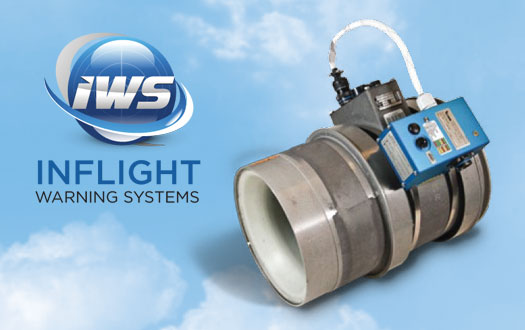
Predictive Vibration Monitor Units
Vibration Monitor Units reliably predict fan and other rotating-component failures on commercial aircraft.
View Product -

Aircraft Interface Devices
Astronics' versatile Aircraft Interface Devices (AIDs) solve avionics system integration and compati...
View Product -

Compact USB Interfaces
These pocket-sized USB adapters are the easy and portable way to interface your computer to avionics...
View Product -
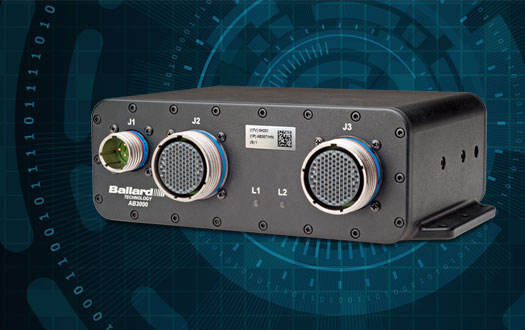
Avionics I/O Computers
Rugged COTS devices that combine computer processing with avionics I/O in a compact package.
View Product -
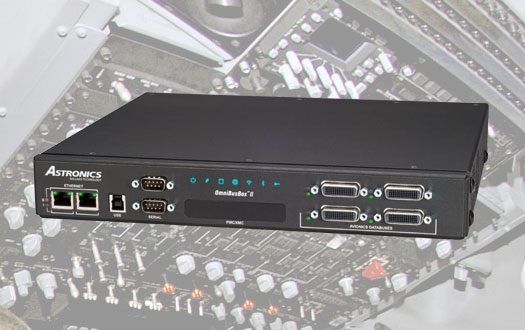
Test & Simulation Interfaces
Interfaces for test, analysis and simulation of commercial and military avionics equipment and systems.
View Product -
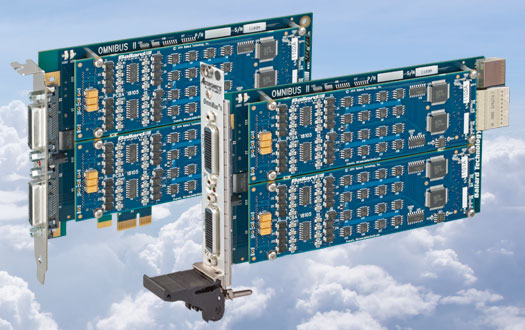
Databus Interface Cards
Reliable interface cards enable computers to interface with avionics databuses for test and simulation.
View Product -
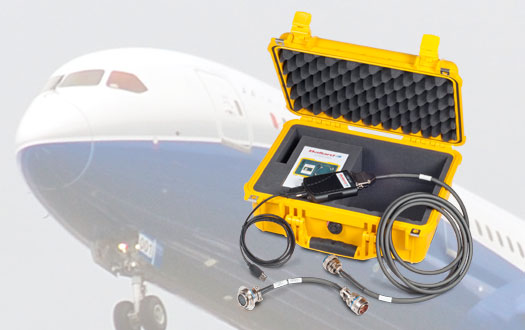
Avionics Data Loaders
Modern avionics solutions for ARINC 615-3 and ARINC 603 data loading.
View Product -
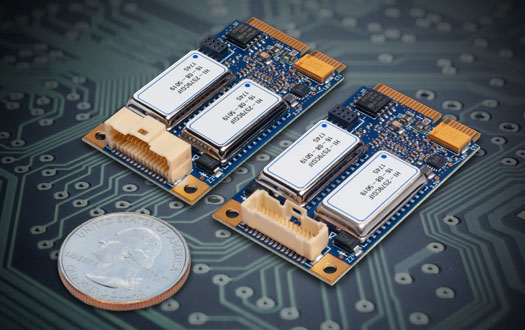
Embedded Interfaces
Versatile interfaces that enable embedded systems and computers to communicate with avionics databus networks.
View Product -
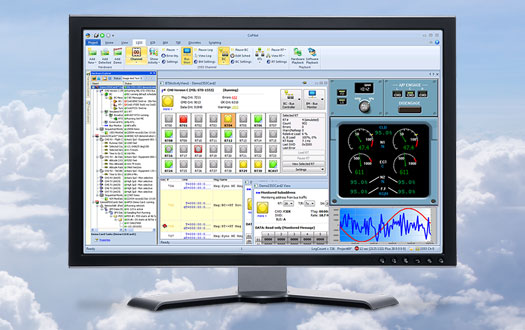
Avionics Interface Software
Easy-to-use software for avionics interface products increases productivity and speeds deployment.
View Product
Featured Products
-
Predictive Vibration Monitor Units
Vibration Monitor Units reliably predict fan and other rotating-component failures on commercial aircraft.
View Product -
Aircraft Interface Devices
Astronics' versatile Aircraft Interface Devices (AIDs) solve avionics system integration and compati...
View Product -
Compact USB Interfaces
These pocket-sized USB adapters are the easy and portable way to interface your computer to avionics...
View Product -
Avionics I/O Computers
Rugged COTS devices that combine computer processing with avionics I/O in a compact package.
View Product -
Test & Simulation Interfaces
Interfaces for test, analysis and simulation of commercial and military avionics equipment and systems.
View Product -
Databus Interface Cards
Reliable interface cards enable computers to interface with avionics databuses for test and simulation.
View Product -
Avionics Data Loaders
Modern avionics solutions for ARINC 615-3 and ARINC 603 data loading.
View Product -
Embedded Interfaces
Versatile interfaces that enable embedded systems and computers to communicate with avionics databus networks.
View Product -
Avionics Interface Software
Easy-to-use software for avionics interface products increases productivity and speeds deployment.
View Product
Events
Featured News
-
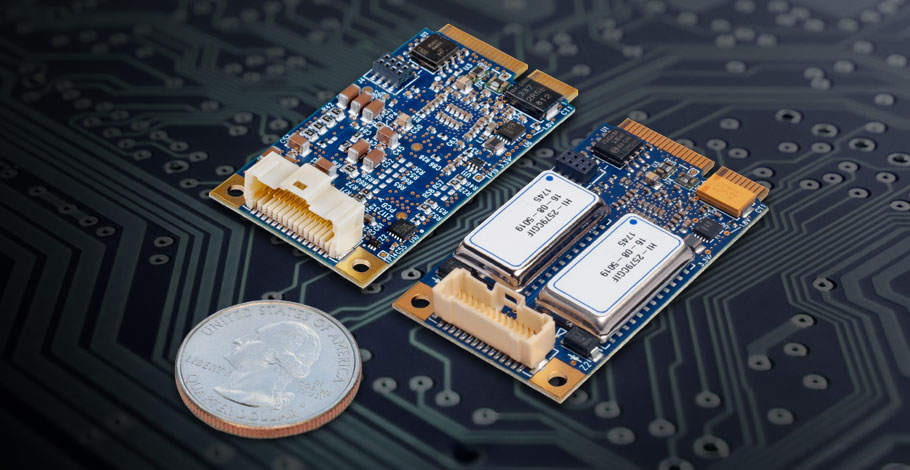
Astronics Introduces Rugged Miniature COTS Avionics Interface Cards for ARINC 429 and 717
Astronics Introduces Rugged Miniature COTS Avionics Interface Cards for ARINC 429 and 717
More Information -
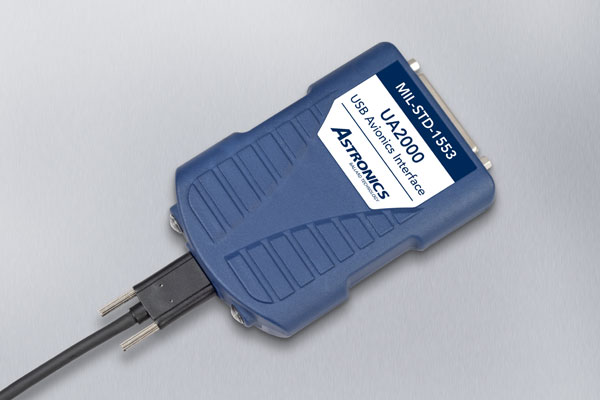
Astronics Announces a New Family of Avionics Interfaces for SuperSpeed USB 3.1
Astronics Corporation is launching a new family of pocket-sized USB interface devices using the SuperSpeed USB 3.1 standard to easily connect computers to avionics databuses.
More Information -
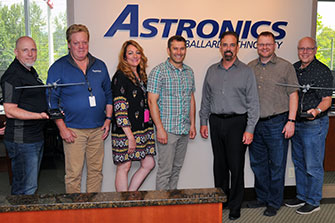
Astronics Ballard Technology receives Supplier Excellence Award from General Atomics
Astronics Ballard Technology received the Supplier Excellence Award from General Atomics for 2018. This is the third consecutive year they have received this recognition. To qualify for the award, Astronics Ballard Technology had to achieve a 100% Quality and On-Time Delivery rating. An attainment that places the company in the top 1% of GA-ASI’s supply base.
More Information
+1.425.339.0915 fax
